
QR Code Generator to Build Your QR Collection
QR Code Generator
to Build Your QR Collection
Create, organize, and manage your QR Collection from one place.
✓ Start free, no credit card
✓ 1,000 Static QR Codes included
✓ 5 Dynamic QR Codes included
QR Code Generator to Build Your QR Collection

✓ Start free, no credit card
✓ 1,000 Static QR Codes included
✓ 5 Dynamic QR Codes included
Build and Organize Your QR Collection
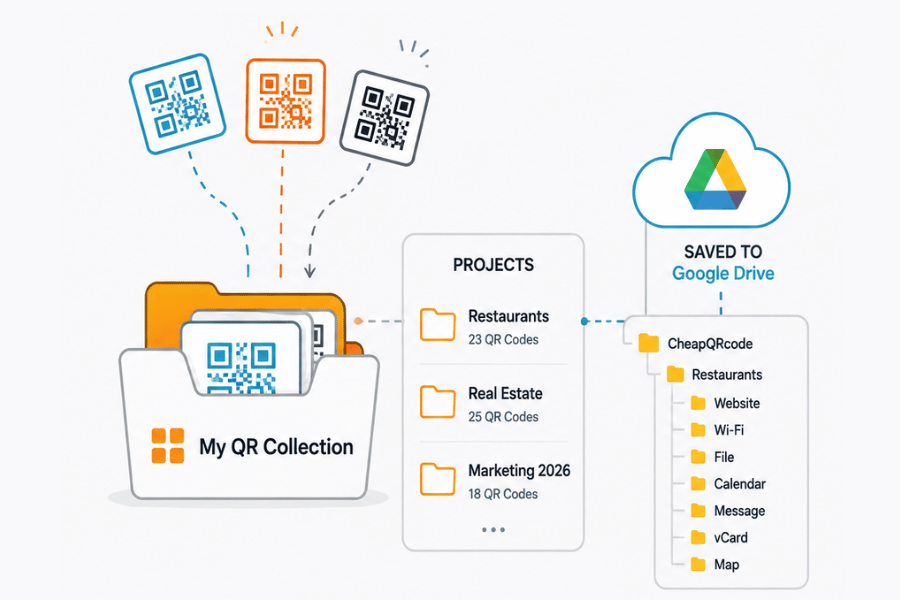
Keep your Static and Dynamic QR Codes organized by Project, so they are easy to find, manage, download, redesign, or print whenever you need them.
Create Projects for your business, clients, locations, campaigns, or personal use. Connect Google Drive and each Project can be saved as a folder, with your QR Codes automatically organized by type for easy access from other apps.
Start Your Free QR Collection →
Your QR Collection is yours for the long term.
Create your free account—no credit card required. You'll always have space for 1,000 Static QR Codes and 5 Dynamic QR Codes, and your account never expires.
Manage your QR Code capacity your way
Delete QR Codes you no longer need to make room for new ones. You can also choose which Dynamic QR Codes stay active within your plan limit and switch them as your needs change.
Need more active Dynamic QR Codes? Upgrade anytime to increase your capacity.
Create Your Free Account →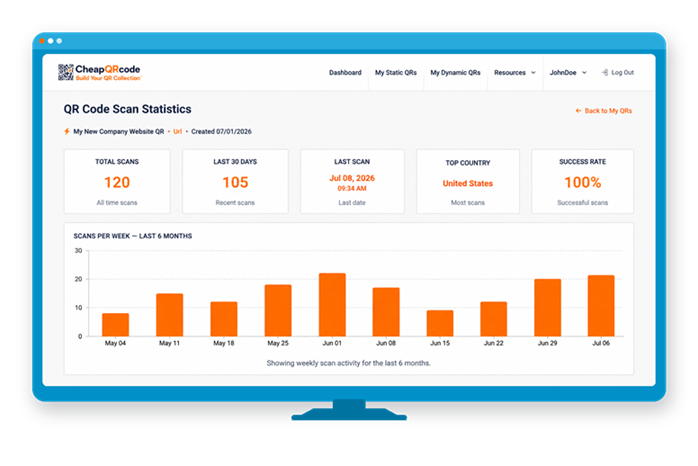
You can see if your QR Code is actually being used
This is one of the biggest benefits of our Dynamic QR Codes: you can see exactly when your QR Code gets scanned. If people aren't scanning it, you'll know right away — so you can move it, redesign it, or place it somewhere more visible
Take control of your QR Collection →Design and Print Your QR Codes
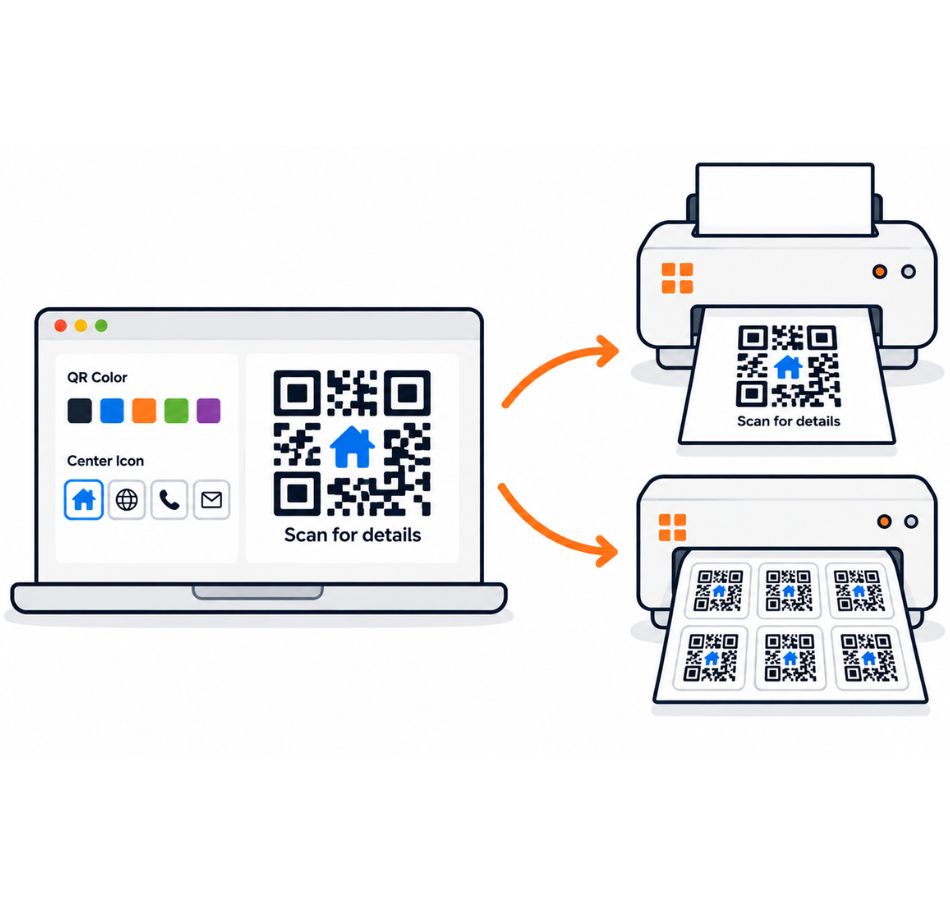
Customize your QR Code with your own colors and center icon or logo, then create a complete printable design around it.
Print one QR Code per page for signs, flyers, menus, instructions, and promotional materials, or print the same QR Code multiple times on a sticker sheet for labels, packaging, products, and more. Add text and images, arrange your design, then print it or export it as a PDF.
Create & Design Your QR Code →